_SC.svg)



.jpg)
How to Receive a Purchase Order with a Barcode Scanner in Shopify
Receiving inventory is where stock records either stay accurate or quietly drift. If you raise purchase orders in Shopify but still check deliveries off on paper, you are one busy afternoon away from phantom stock, oversells and a count nobody trusts. The fix is to receive each purchase order with a barcode scanner, so every unit that arrives is matched against what you ordered as you scan it.
This guide walks through the full barcode receiving workflow in Shopify using EasyScan — from opening an ordered PO to adjusting stock the moment the last box is checked in.
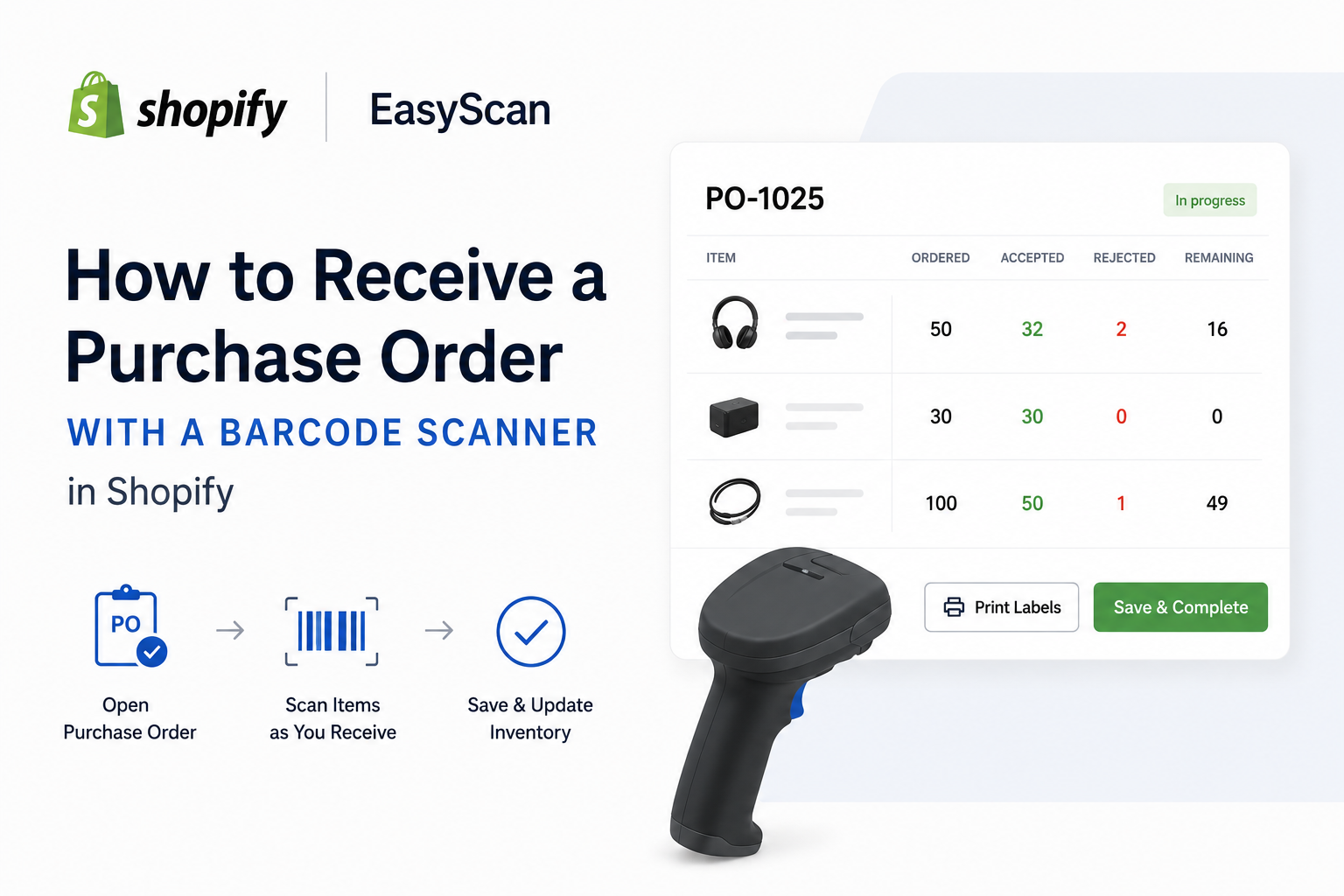
TL;DR: Open the purchase order, scan each item as it comes off the pallet, and EasyScan tallies accepted and rejected quantities against the order. Partial deliveries and over-shipments are handled automatically, Shopify inventory updates on save, and you can print barcode labels for exactly the units you just received.
Why receive against a purchase order instead of just adding stock?
Adding stock straight into the Shopify admin works for a one-off, but it tells you nothing about whether the delivery matched the order. Receiving against a PO gives you three things manual entry can’t: a record of what was ordered vs received, a place to log damaged or short-shipped units, and an automatic inventory adjustment tied to the document — so your cost and supplier history stay intact.
What you need before you start
Step by step: receive a PO by scanning
Handling partial deliveries and over-shipments
Suppliers rarely ship a PO in one perfect drop. EasyScan expects this:
Catching discrepancies at the dock
Because every unit is scanned against the ordered quantity, shortages and overages surface immediately, not at month-end. Accepted and rejected counts sit side by side with what was ordered, giving you a clean basis to query a short delivery or reconcile a supplier invoice later.
Print barcode labels as you receive
When you confirm a receive, EasyScan offers to print barcode labels for just the units accepted in that session — not the whole order again. New stock can go straight to the shelf already labelled, ready to pick. You can also print a PDF receive report for your records in the same step.
Correcting a receive after the fact
Miscounted? On a received PO you can edit received quantities to correct accepted or rejected counts, and EasyScan posts the matching inventory correction back to Shopify — no manual stock tweaks that break your audit trail.
Frequently asked questions
Do I need a special barcode scanner? No. Any scanner that behaves like a keyboard works, and so does a phone or tablet camera.
Can I receive one purchase order across several deliveries? Yes. Partial receiving keeps the PO open until every ordered unit is accounted for.
What happens to Shopify inventory when I receive? Accepted quantities are added to the destination location automatically on save.
Which EasyScan plan includes purchase orders? Purchase orders and receiving are on the Advanced plan ($79.99/month) and Pro, both with a free trial.
Receiving is one half of replenishment. The other half is knowing when to reorder — see reorder points in Shopify — and if you’re moving off Shopify’s retiring Stocky app, start with the EasyScan Stocky alternative guide.